Blog
A Second Chance for Family Photos, with Help from AI
September 11, 2026
How I used Python and AI to recover surviving previews from damaged family photos, and what the experience taught me about using AI responsibly.
I have been enamored with technology ever since my grandpa introduced me to his new Packard Bell desktop PC running MS-DOS when I was a preteen. I would spend hours at a time transcribing storybooks and writing simple short stories. That fascination continued throughout my childhood and adolescence as I experimented with our family’s first computer, a Macintosh Performa, and later spent my hard-earned money on my first laptop: a bulky Toshiba Satellite Pro running Windows 95 that I found on eBay.
It’s no wonder that I ultimately pursued a degree in information technology so that I could be on the bleeding edge of the technological revolution. Decades later, I am still an early adopter and find great joy in learning new skills and exploring new technologies.
And yet, this latest shift with the expansion of artificial intelligence feels different. Perhaps it’s because this time I’m an adult with a career and family, or maybe it’s because this technology has the potential to change the world in ways that are both exciting and unsettling.
For my own life, I’ve decided that I need to “intentionally use AI as a tool for good”. I want to use it to expand my knowledge and expertise while avoiding the slippery slope of letting it become a crutch that dulls my own skills and abilities.
By seeking opportunities to partner with AI to solve problems, I have had some incredible experiences that have deepened my understanding of its possibilities while still helping me hone my own skills.
When Family History Wouldn’t Open
One such opportunity presented itself recently, when my father-in-law reached out for help with a situation that, at first glance, appeared to be a lost cause. While working on an autobiography that he plans to publish for family and friends later this year, he was devastated to discover that hundreds of family photos spanning nearly half a century had somehow become corrupted. The photos had been scanned from old slides and stored on an external drive.
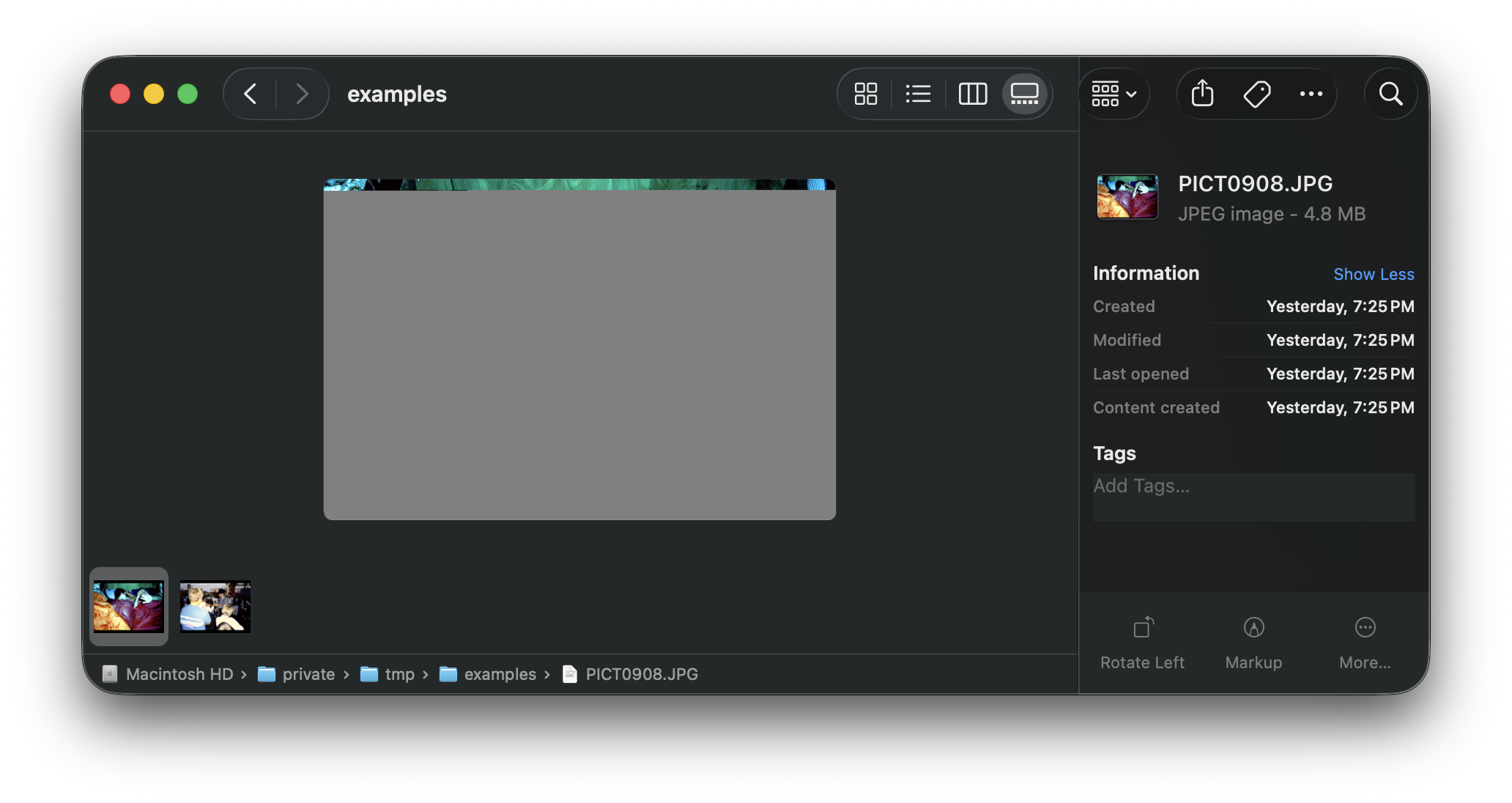
Precious memories, including his time in Tonga as a young missionary and the early years of his children, including my wife, appeared to be lost. In place of parts of the photos, or sometimes entire images, there were only flat gray areas.
I didn’t have any answers at the time, but I refused to accept that the photos were gone forever. I had my father-in-law upload the files to a folder in my Google Drive and promised that I would investigate what options, if any, were available to recover the images.
A Small Clue in Plain Sight
Back at home on my own computer, I began my investigation by attempting to open and analyze the corrupted files using various tools and utilities, but to no avail. However, a glimmer of possibility surfaced when I noticed that, even though the full images would not display, their thumbnails would display in Finder and Windows File Explorer. This gave me hope that at least some form of the images could be recovered.
It was time to call in reinforcements, so I spun up ChatGPT and started a conversation.
Before the Code, the Questions
I explained the predicament in my prompt and provided an example of a damaged image file, along with a screenshot demonstrating the visible thumbnail. I asked ChatGPT to examine the affected file for any trace of the original image that could be salvaged and suggest some recovery options.
After reasoning for a few minutes, ChatGPT responded with some encouraging news. It explained that JPEG files can contain metadata and embedded preview images, and that tools such as the open-source ExifTool program can help inspect and extract that information. It also introduced me to Pillow, a Python library for working with images. Those surviving previews offered a way to recover smaller versions of the photos, even if the full-resolution images could not be repaired.
With Python being one of my favorite programming languages, I knew the direction I wanted to take. Rather than providing a vague prompt like “Write a script to do this,” I wanted to define exactly what the script should accomplish and how it should handle the files. Most importantly, it needed to leave the originals untouched.
Sitting down in front of a blank Markdown note in my Obsidian vault, I documented my overall goal, the constraints and guardrails, and the context behind what I wished to achieve. I drew on the prompting guidance provided by OpenAI and Anthropic.
Doing this helped me hone my prompt engineering skills and forced me to slow down, look at the big picture, and consider caveats and edge cases. The exercise proved fruitful: I was able to anticipate limitations and outliers that otherwise would have surprised me during development.
My Code, My Responsibility
With my initial prompt and requirements defined, I created a new project in Codex, OpenAI’s coding assistant, and got to work. Knowing that others would likely face similar situations, I decided early on that I wanted the script to be reusable and something I could share as open-source software. I therefore set up a public GitHub repository and associated it with the Codex project.
One practice I always follow when using AI to assist with development is having it leave changes unstaged for my review. I decide what gets committed and pushed. This routine helps me understand the “why” behind every change and learn capabilities I was previously unaware of, such as those provided by Pillow.
I was quite impressed with how Codex performed the initial buildout, but it was still an iterative process to fine-tune the script and address the various caveats. I used Codex not only to fix issues and refine the script, but also to brainstorm ideas, explain concepts and syntax, and act as my partner or “rubber duck”: a sounding board for working through problems.
Recovered, but Still Too Small
After several days of testing, debugging, and refinement, it was time to run the script against the full collection of image files. I was thrilled to see that it took less than a minute to extract previews from the nearly 2,800 corrupted source files.
But there was one last unexpected hurdle. While all of the previews were extracted successfully, some were large enough to view comfortably, while others were tiny thumbnails with very little visible detail. After the excitement of recovering them, this felt like a major setback.
Rather than accepting the result, I returned to ChatGPT to brainstorm whether there were any options for recovering larger previews. I learned that Pillow’s tolerant decoding can sometimes render surviving pixels from an incomplete or damaged JPEG that it would otherwise reject.
A damaged photo file can contain several separate images: the full-resolution photograph, a small thumbnail, and a larger preview. Those images can suffer different amounts of damage. For example, a 160 × 120 thumbnail might remain intact while a 640 × 428 preview is only partly readable. The script already selected the largest intact preview it could decode; the next step was to see whether a larger, damaged preview still contained something useful.
With this in mind, I worked with Codex to introduce an optional --salvage-partial
flag, a command-line option that adds partial recovery to the normal extraction.
It keeps the intact preview and also attempts to save a larger, partially
readable preview as a separate PNG. Larger dimensions don’t guarantee a more
useful image, but if enough of the photo survives, it may be possible to crop
away the damaged portion.
The recovered images came from data still present in the files. AI helped me build and refine the recovery tool; it wasn’t generating replacement details for the photos.
More Than Files on a Drive
After testing the additional functionality, I
successfully ran the script
with --salvage-partial against the full collection. I was then able to provide my
grateful father-in-law with the recovered previews of his family’s precious memories.
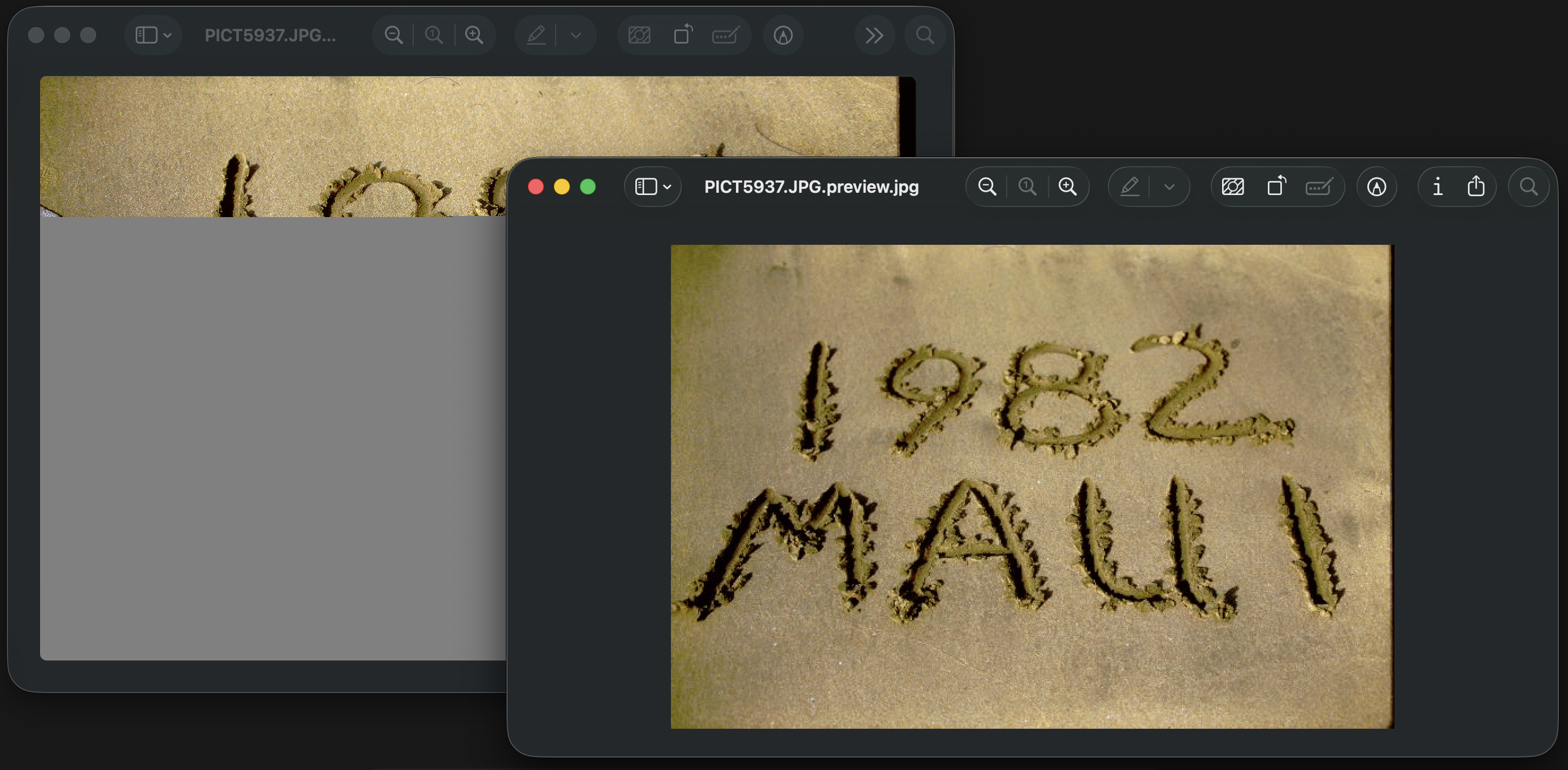
Not only that, but I had the heartwarming opportunity to sit down with my wife and our children to look through the photos, many of which my wife had never seen before. They spanned her childhood, from birthdays and her first day of school to nostalgic moments with grandparents and other family members who have long since passed on.
When I started this project, I had no idea it would lead to such tender experiences or bring our family history to life through long-forgotten memories and stories.
A Tool for Good, Put to Work
I am very grateful that I had the opportunity to help my father-in-law and our whole family through this project, and I am pleased with what I was able to accomplish with AI’s help. That’s not to say I couldn’t have done it on my own. But using AI alongside my own skills and knowledge gave me the confidence to take on a large challenge and helped me work through it much faster. It also made the project manageable alongside the many other tasks and responsibilities on my plate.
I do still believe that artificial intelligence is a double-edged sword. Like many tools, it can be used thoughtfully and responsibly or recklessly, with damaging consequences.
In an Education Week address at Brigham Young University on August 19, 2025, Gerrit W. Gong put it this way:
As we work hard and smart, AI can be a valuable tool to enhance but not replace our own efforts.
I agree with this statement. This project gave me a personal example of what that can look like: learning something new, staying responsible for the work, and using those skills to help the people I love.
If you want to try the JPEG Preview Recovery script from this article, you can find it on GitHub.